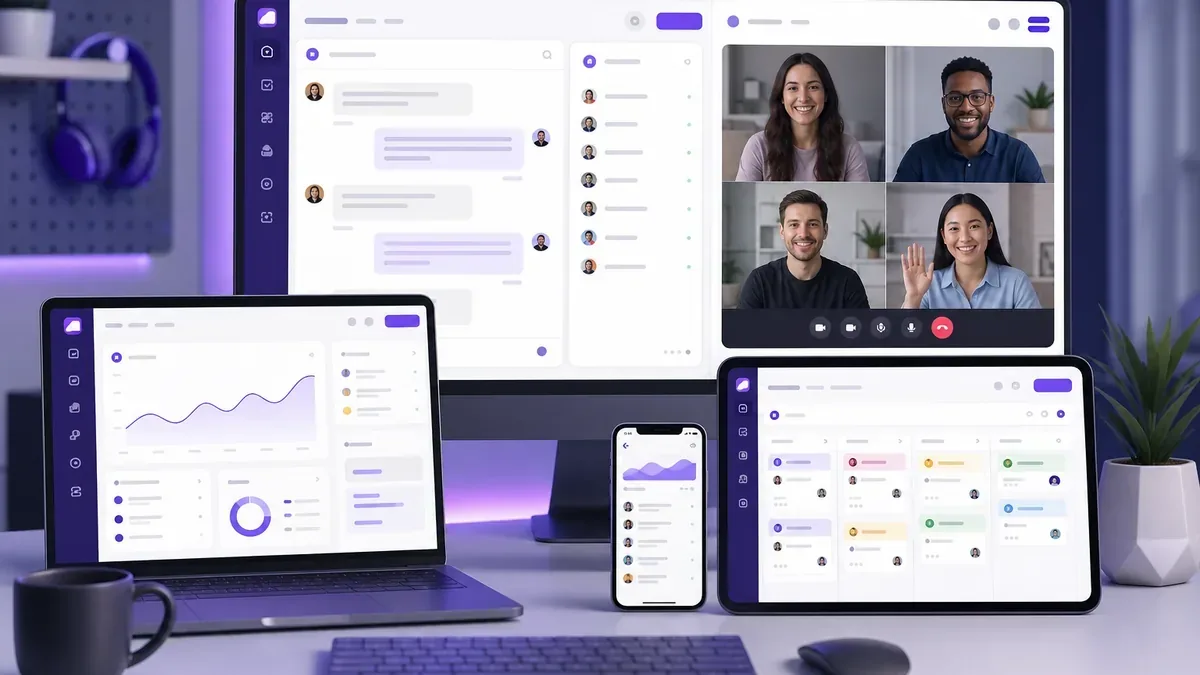
Top Communication Tools Every Team Needs in 2026
The right communication tools can transform how your team works together. With countless options available, choosing the best stack for your organization can feel overwhelming. This guide breaks down the essential categories and top recommendations for 2026.
Why Your Tool Stack Matters
Research shows that employees use an average of 9.4 apps daily for work communication. Too many tools create friction—switching between apps wastes time and fragments conversations. The best teams consolidate on integrated platforms that cover multiple needs.
"The best tool is the one that gets out of your way and lets you focus on the work that matters."
Essential Communication Tool Categories
đź’¬ Team Chat
EssentialReal-time messaging for quick conversations, questions, and team updates.
- Organize conversations into channels
- Direct messages for 1:1 communication
- Threading for organized discussions
- File and media sharing
- Search functionality
📹 Video Conferencing
EssentialFace-to-face meetings for complex discussions, presentations, and team bonding.
- HD video and audio quality
- Screen sharing capabilities
- Recording and transcription
- Virtual backgrounds
- Calendar integration
đź“‹ Task Management
Important
Tracking work, assignments, and deadlines to keep projects moving forward.
- Kanban or list views
- Assignee and due date tracking
- Priority levels
- Integration with chat
- Progress visualization
đź“… Calendar & Scheduling
ImportantCoordinating meetings and availability across the team.
- Calendar sync
- Availability checking
- Automated scheduling
- Time zone support
- Meeting reminders
đź“„ Documentation
ImportantKnowledge bases, wikis, and shared documents for team information.
- Real-time collaboration
- Version history
- Permission controls
- Search functionality
- Templates
What to Look for in Communication Tools
Integration Capabilities
The best tools connect with each other and with your existing workflow. Look for APIs, webhooks, and native integrations with popular platforms.
User Experience
Tools should be intuitive enough that training is minimal. A steep learning curve means low adoption—and low adoption means the tool isn't helping your team.
Security and Compliance
Your communication tools handle sensitive information. Ensure they meet your industry compliance requirements and offer robust security features like encryption and access controls.
Scalability
Consider not just your current team size, but where you're headed. The best tools grow with you without significant price jumps or feature limitations.
The Case for Unified Platforms
While best-of-breed solutions exist for every category, managing multiple tools has costs:
- Context switching wastes an average of 23 minutes per day
- Information gets siloed in different platforms
- Integration maintenance adds technical debt
- Training becomes more complex
- Licensing costs add up quickly
Unified platforms like ZyncSpace bring chat, tasks, calendar, and video into one seamless experience—reducing tool fatigue and improving productivity.
Building Your Tool Stack
Here's a recommended approach:
- Audit current tools: What are you already using? What's working and what isn't?
- Identify gaps: Where do communication breakdowns happen?
- Prioritize consolidation: Can one tool replace multiple?
- Pilot new tools: Test with a small team before rolling out
- Gather feedback: Involve users in tool decisions
- Iterate: Your stack should evolve with your needs
Conclusion
The right communication tools don't just make work easier—they transform how teams collaborate. Whether you choose best-of-breed solutions or a unified platform, invest in tools that reduce friction and help your team focus on what matters most.
ZyncSpace was designed to be the communication hub your team deserves—combining everything you need in one place so you can spend less time switching between apps and more time getting work done.